Help · Coordinator
Approve timesheets
Workers record their hours on the phone each day. You check each day and approve it, or send it back with a reason the worker sees.
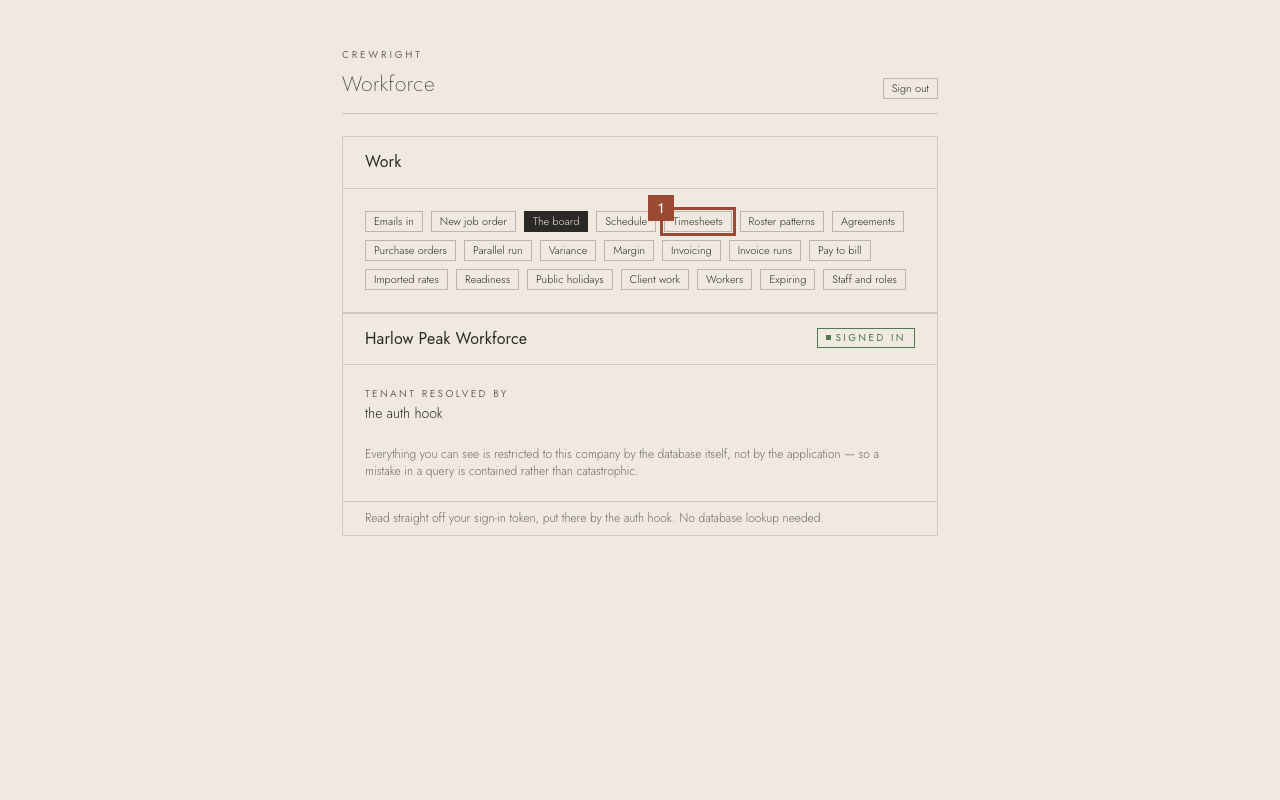
1. On the home page, open Timesheets. Every day waiting on a decision is listed.
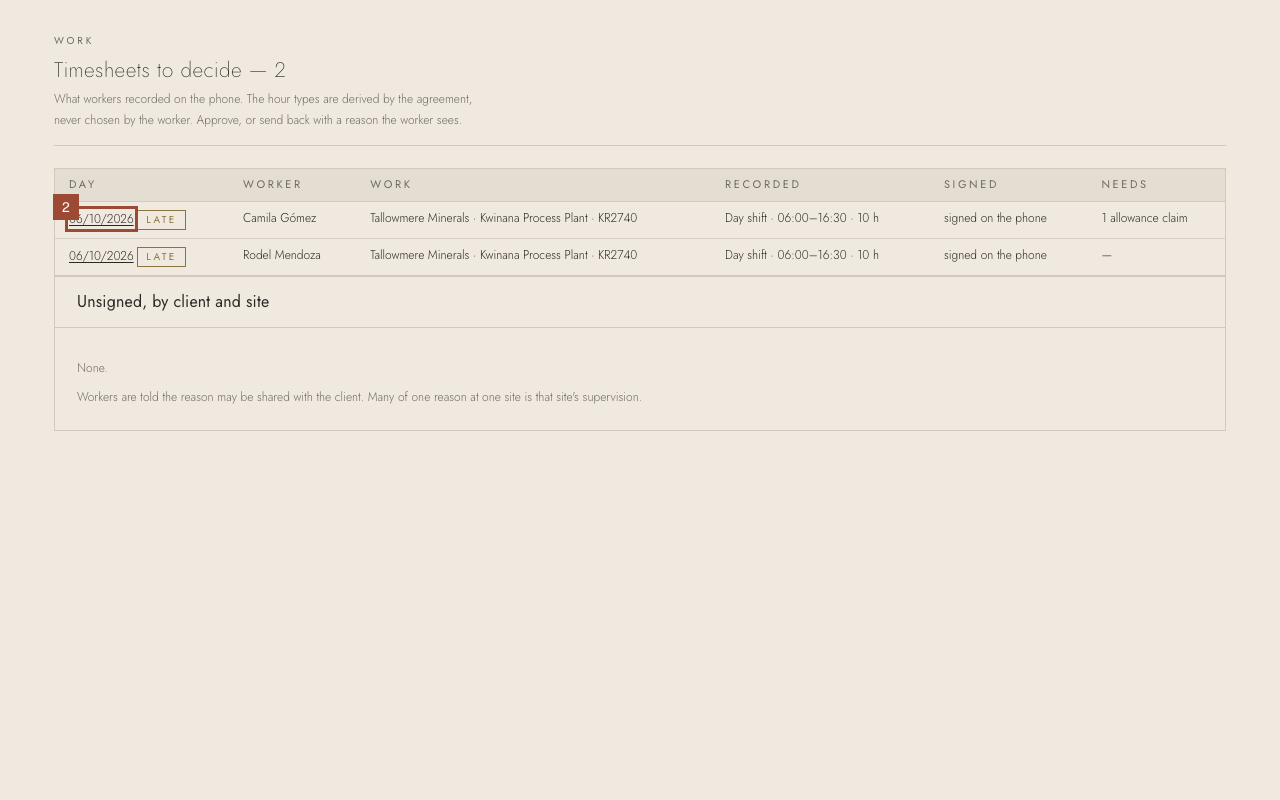
2. Open a day by its date — here, Camila Gómez's.
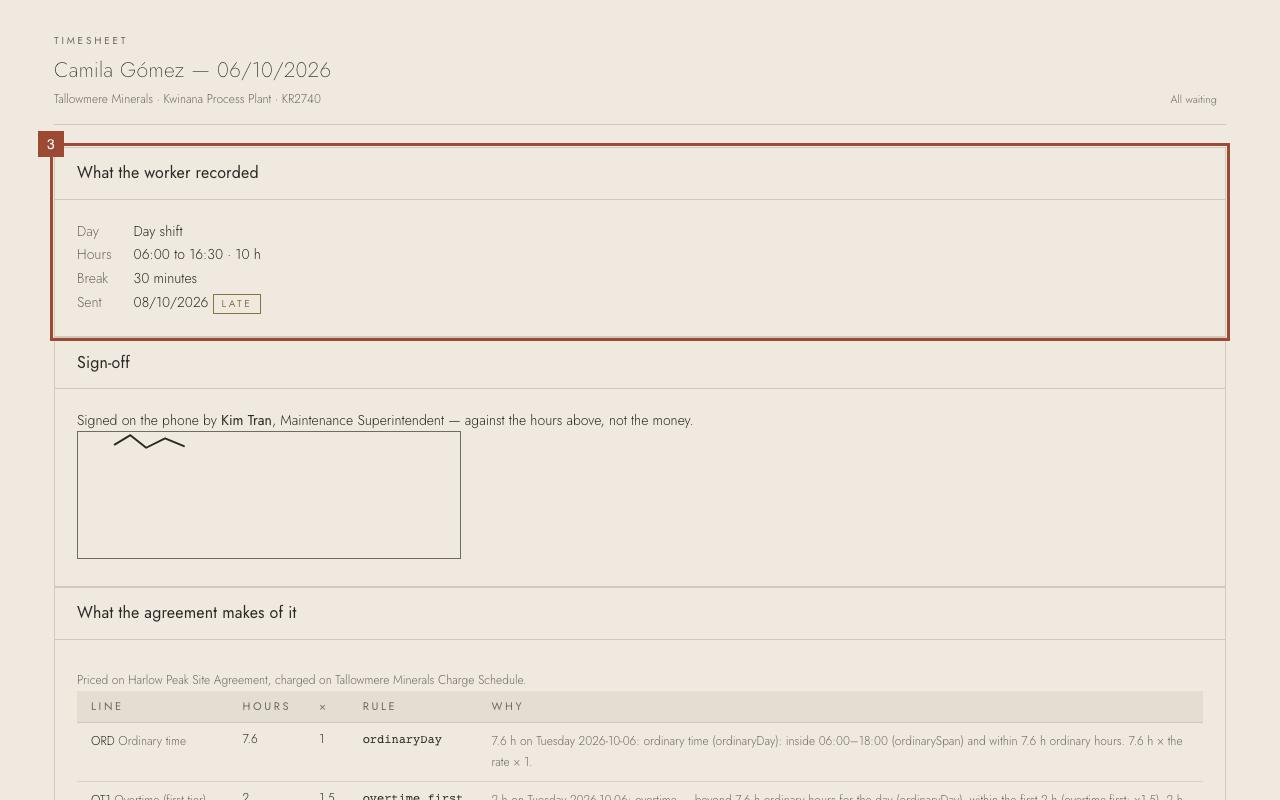
3. Check the hours and the break against what you know of the shift.
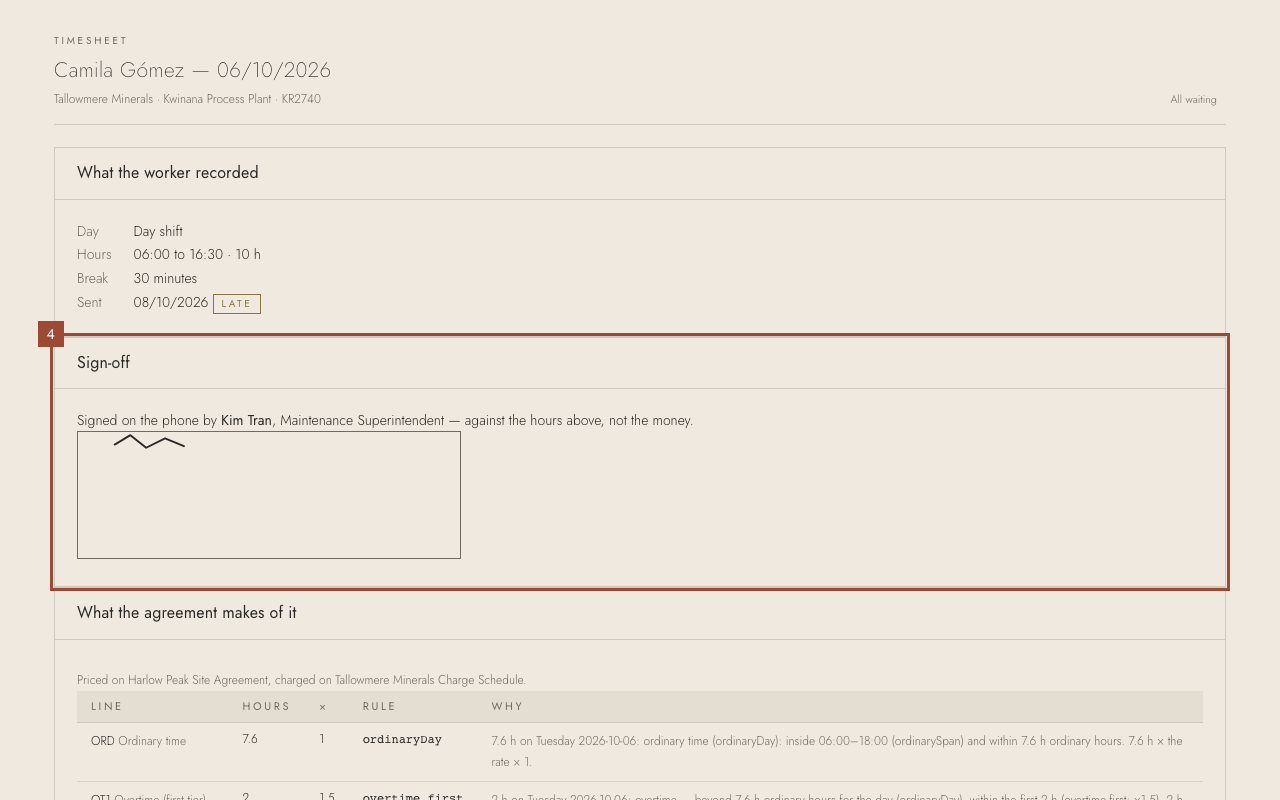
4. Check the sign-off: who signed for the hours on site.
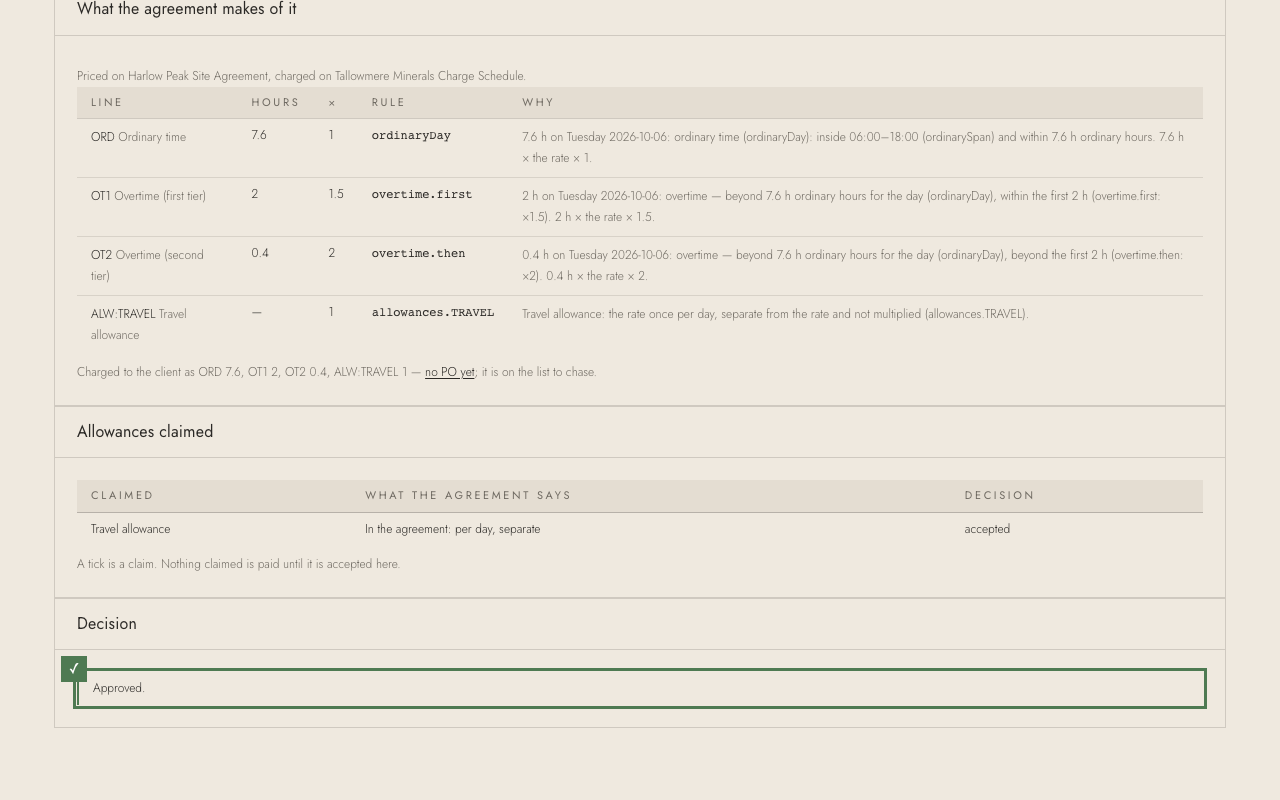
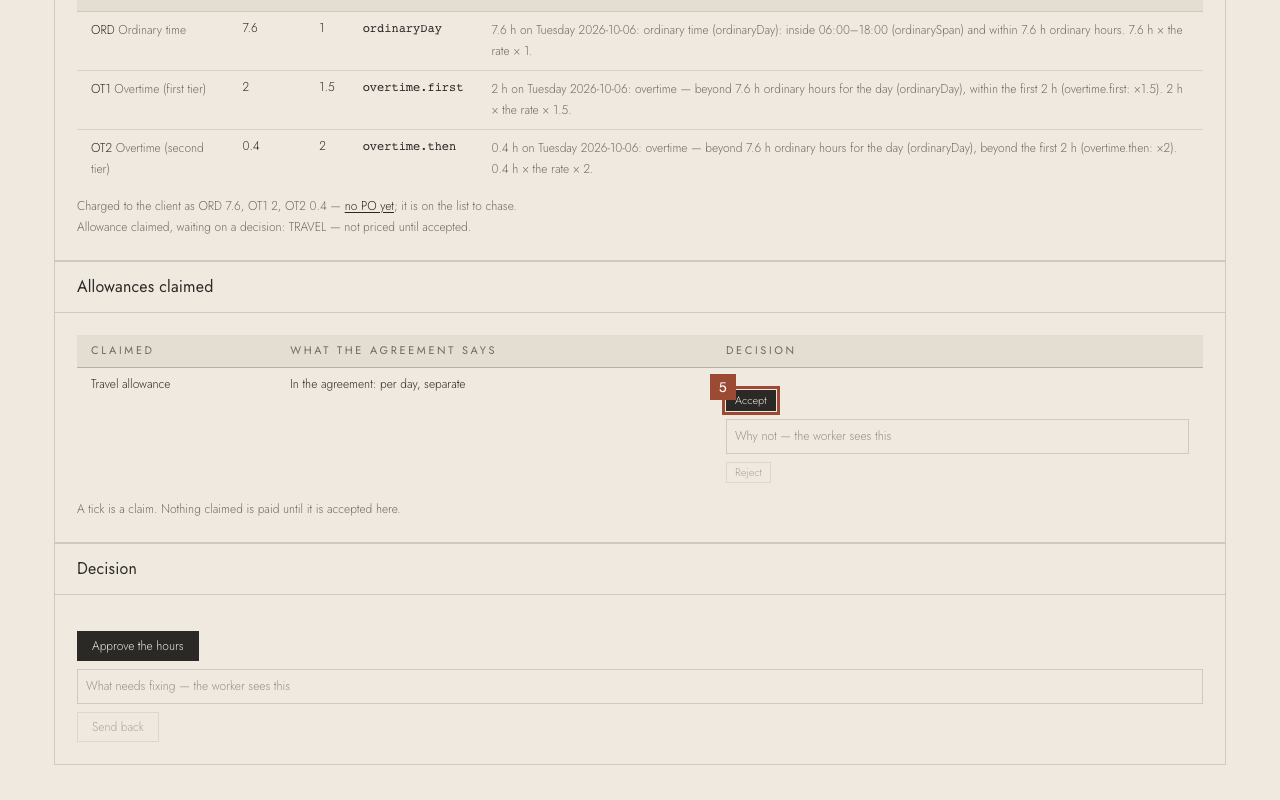
5. Decide each allowance claimed: here Travel allowance — press Accept. To refuse one, type why and press Reject.
6. Press Approve the hours. To send the day back instead, type what needs fixing and press Send back.
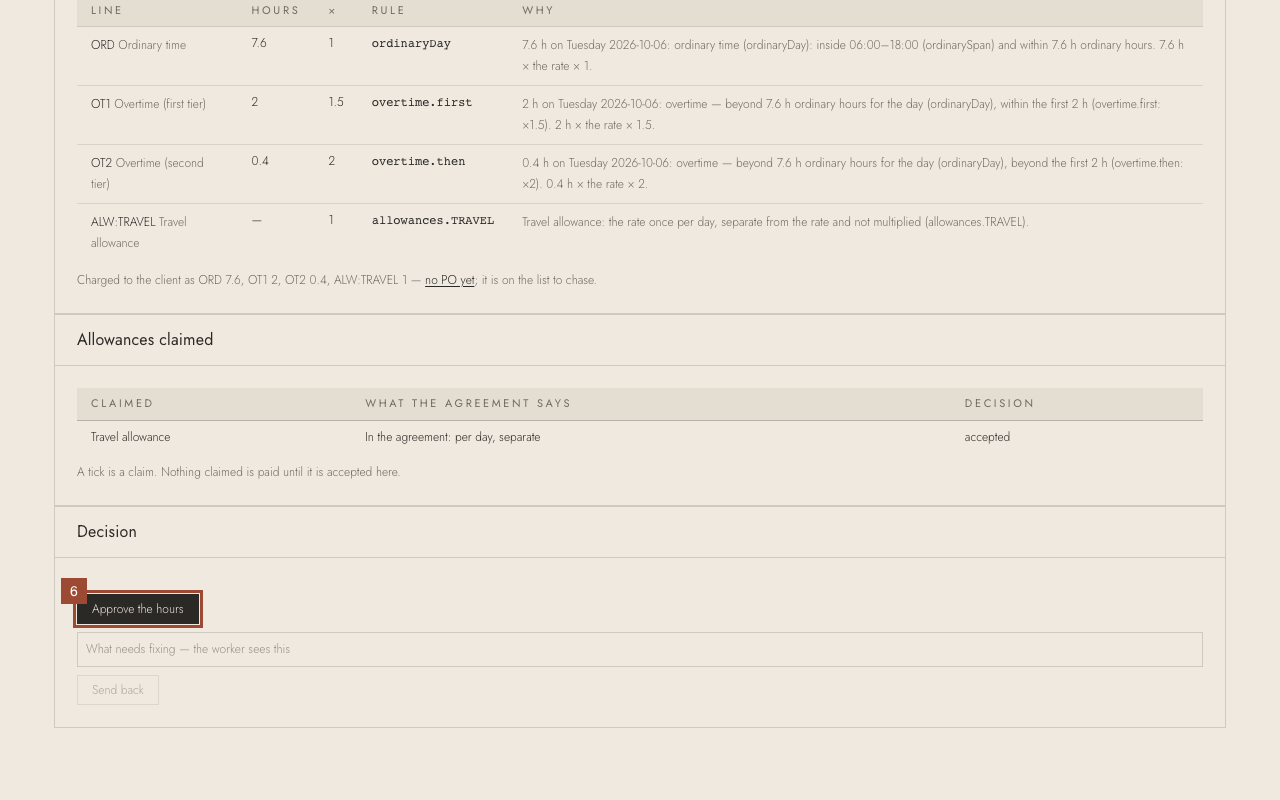
✓ Done. The day is approved. Go back to Timesheets for the next one.