Help · Payroll (owners and administrators)
Check a timesheet day by day
When a timesheet differs, see each day's lines from FastTrack beside the system's, and why they differ.
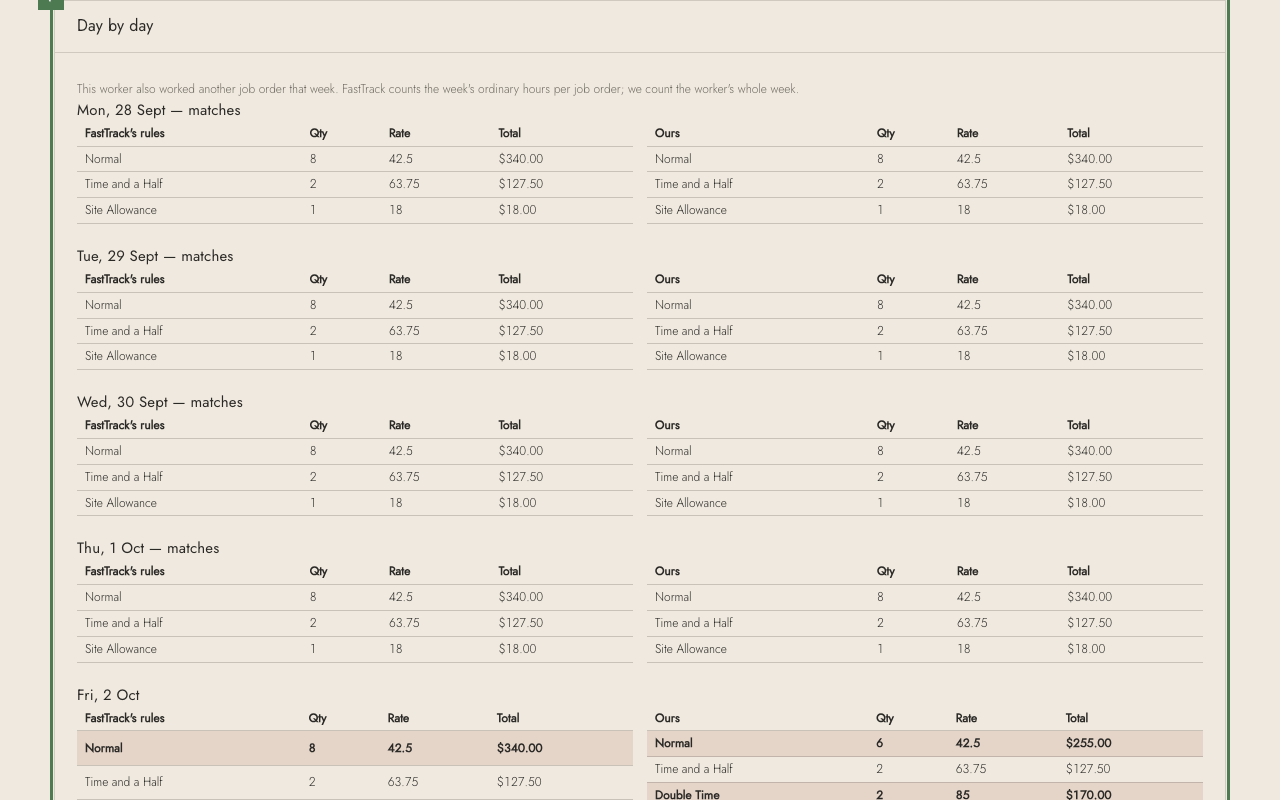
1. Open a timesheet by its number — here 91002, Priya Lindqvist's.
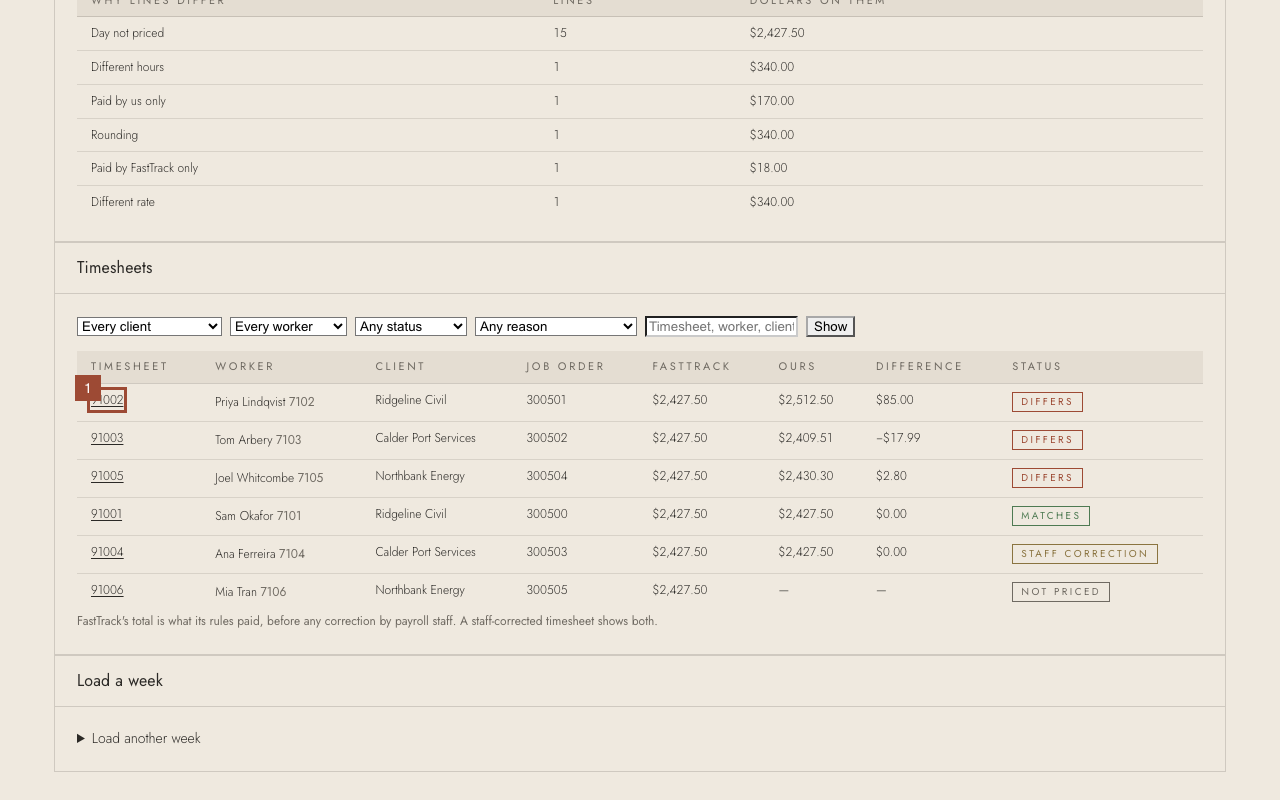
2. Each day shows FastTrack's lines and the system's side by side, and the reason for any difference — here, the worker's whole week counted toward 38 hours.
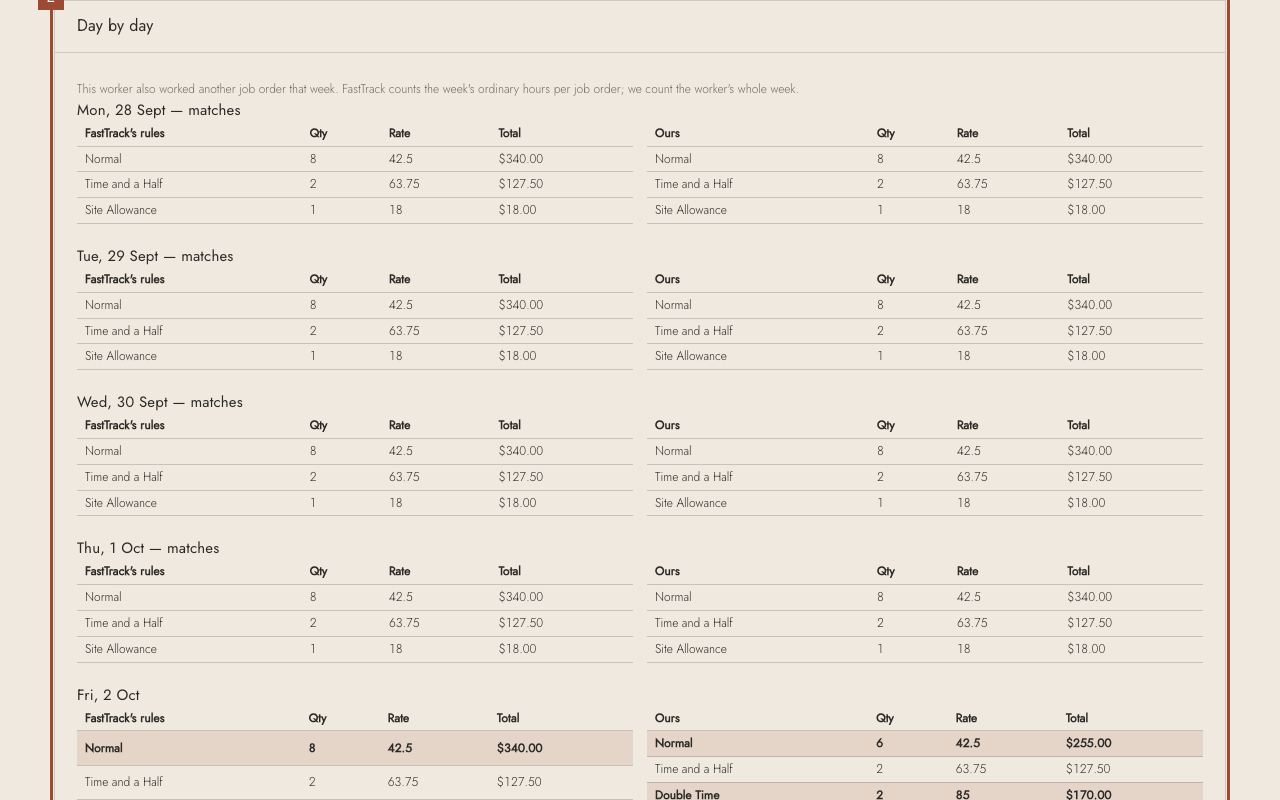
✓ If FastTrack is right and the system is not, tell Seizan with the timesheet number. If FastTrack is wrong, correct it in FastTrack as usual.