Remove someone's access
When someone leaves the office, or should no longer see Crewright, an owner removes their access. They are signed out at once and cannot sign in again. Nothing they did is lost.
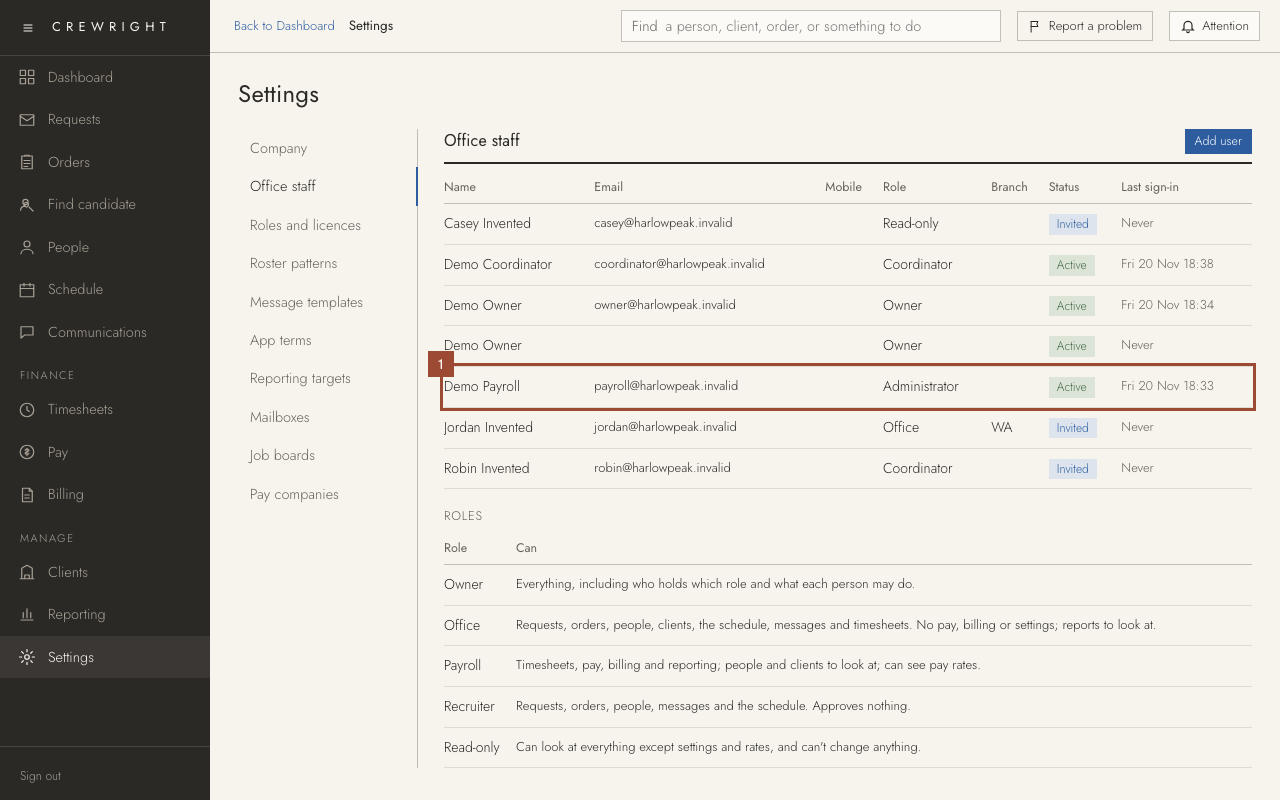
1. In Settings, open Office staff and click the person.
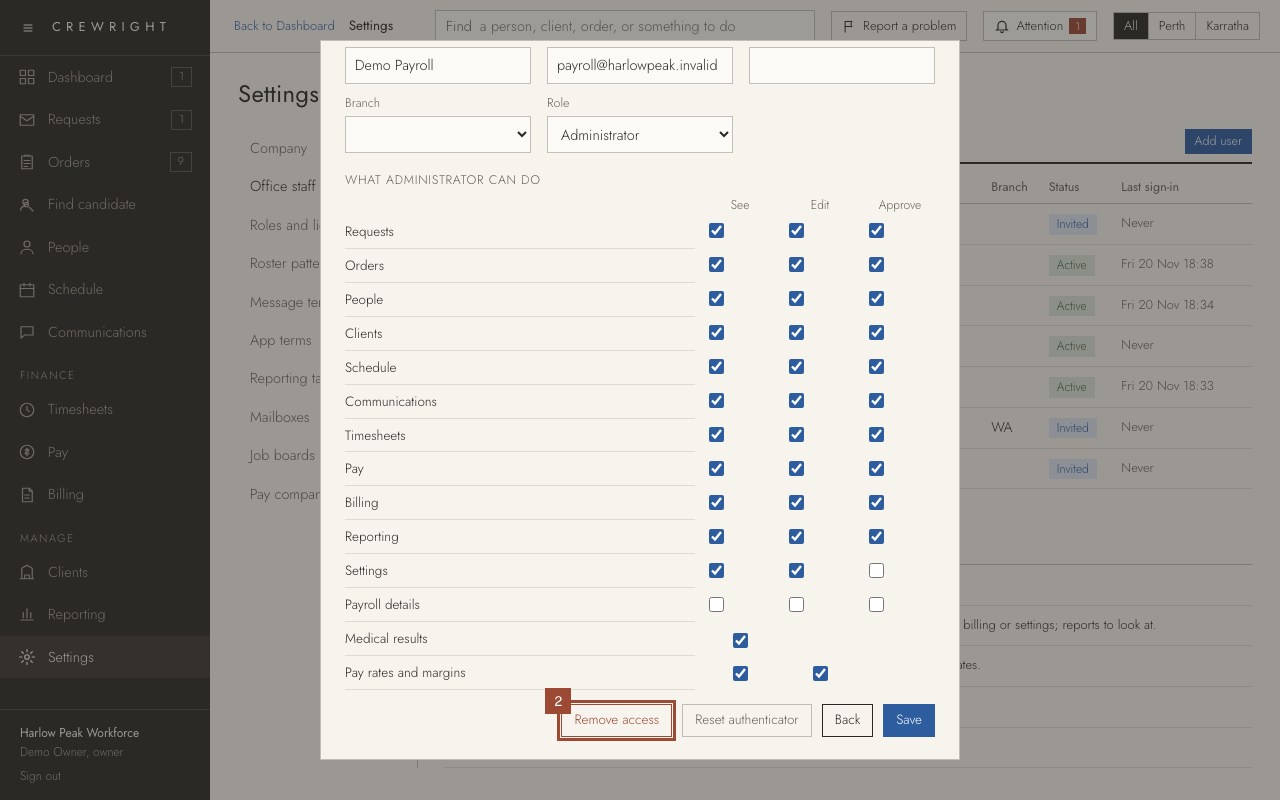
2. Press Remove access. Crewright asks Are you sure? Press OK. (For someone who has not used their invitation yet, the button reads Cancel invitation: it takes them off the list, and you can invite them again later.)
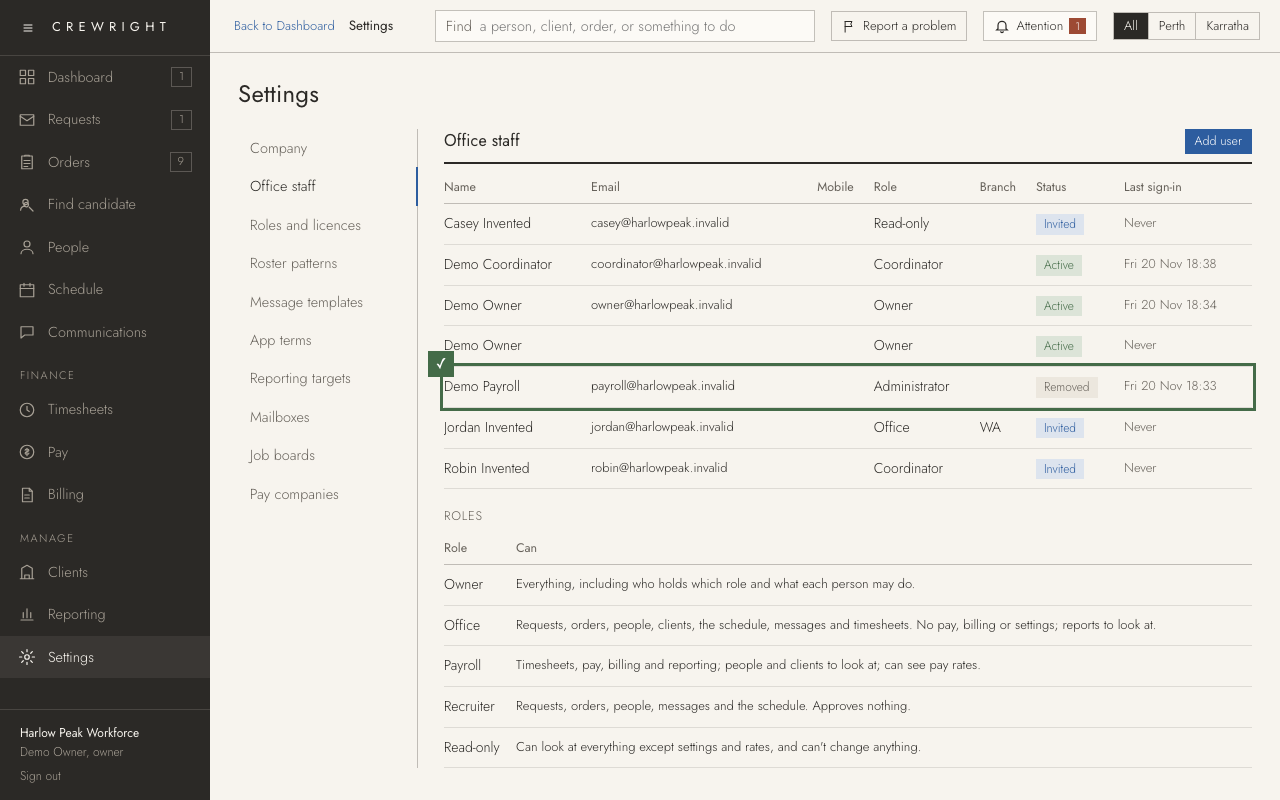
Done The row reads Removed. They are signed out and cannot sign in. Their record and everything they did are kept. To bring them back, click the row and press Restore access.