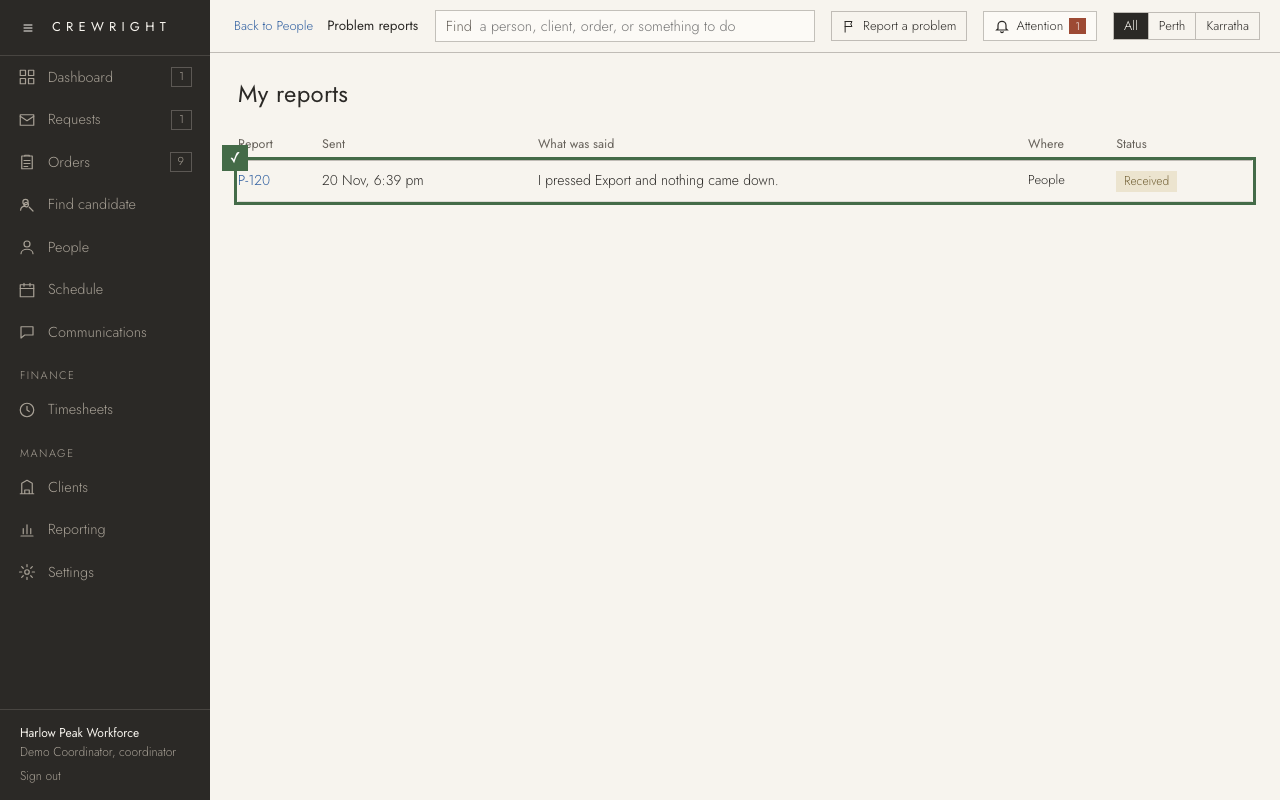
Report a problem
Something did not work, or looks wrong? Tell Crewright from the screen you are on. It takes one line; a picture of the screen goes with it.
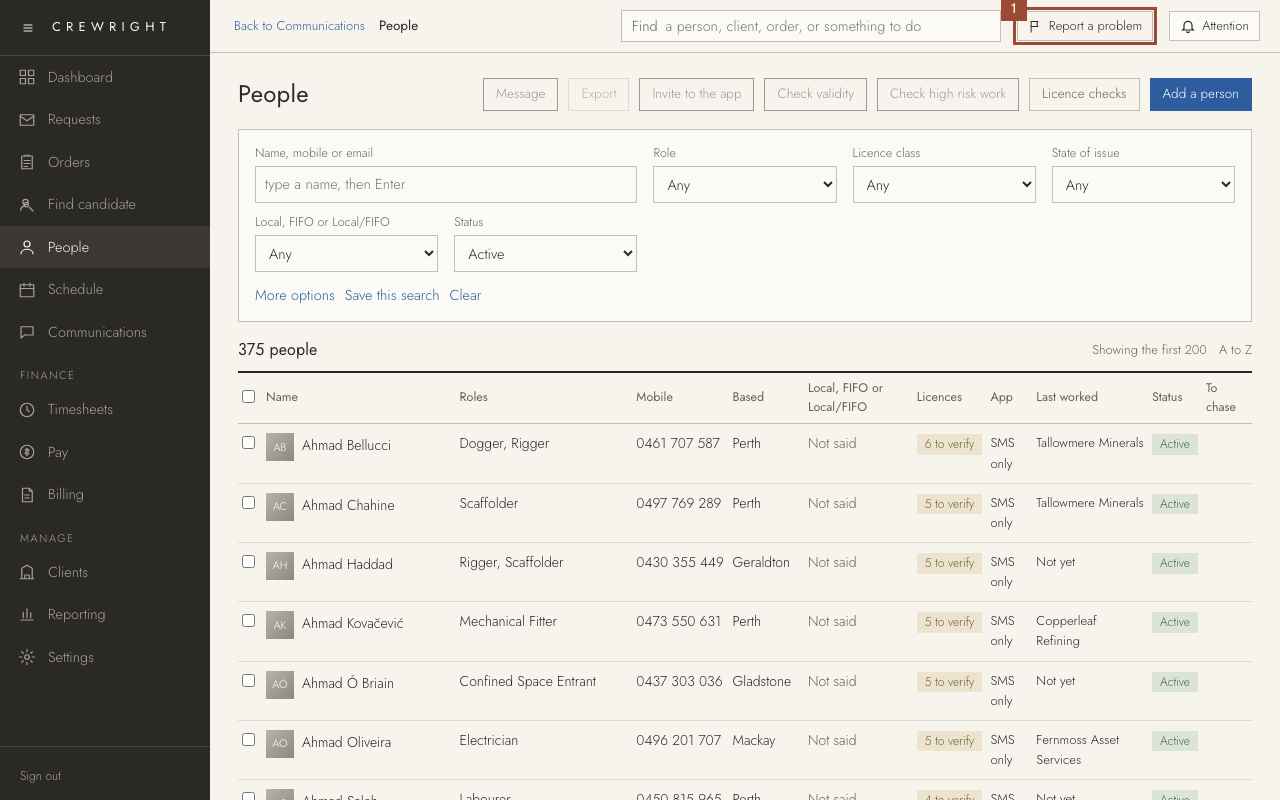
1. On the screen with the problem, press Report a problem at the top. It is on every screen.
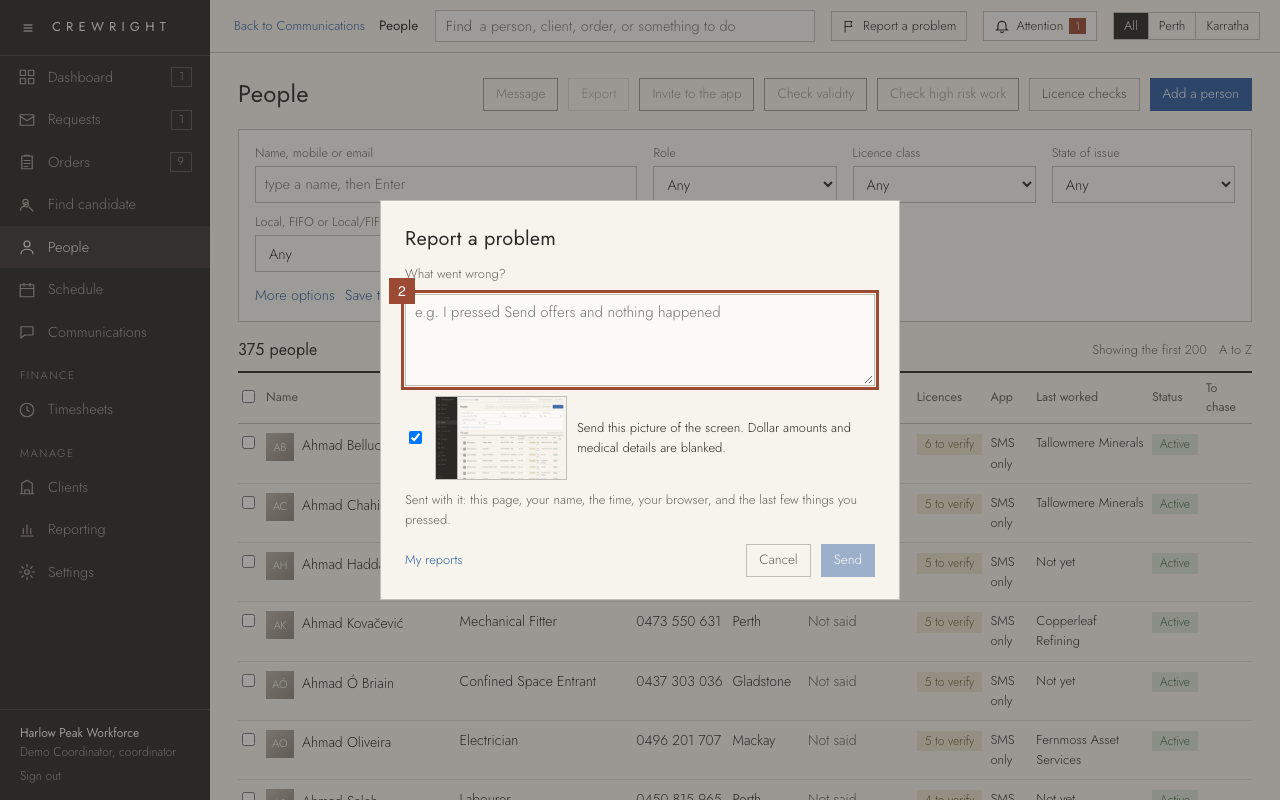
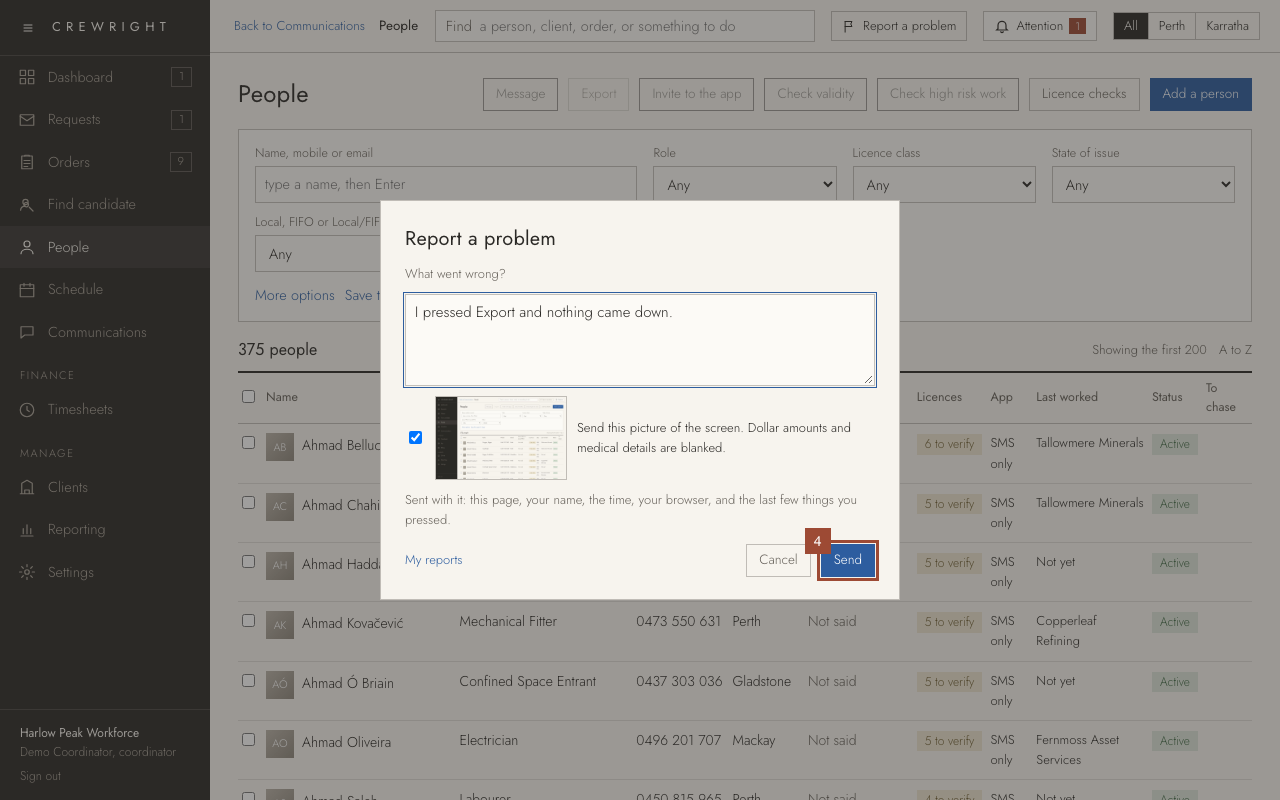
2. Say what went wrong, in a line: what you pressed and what happened.
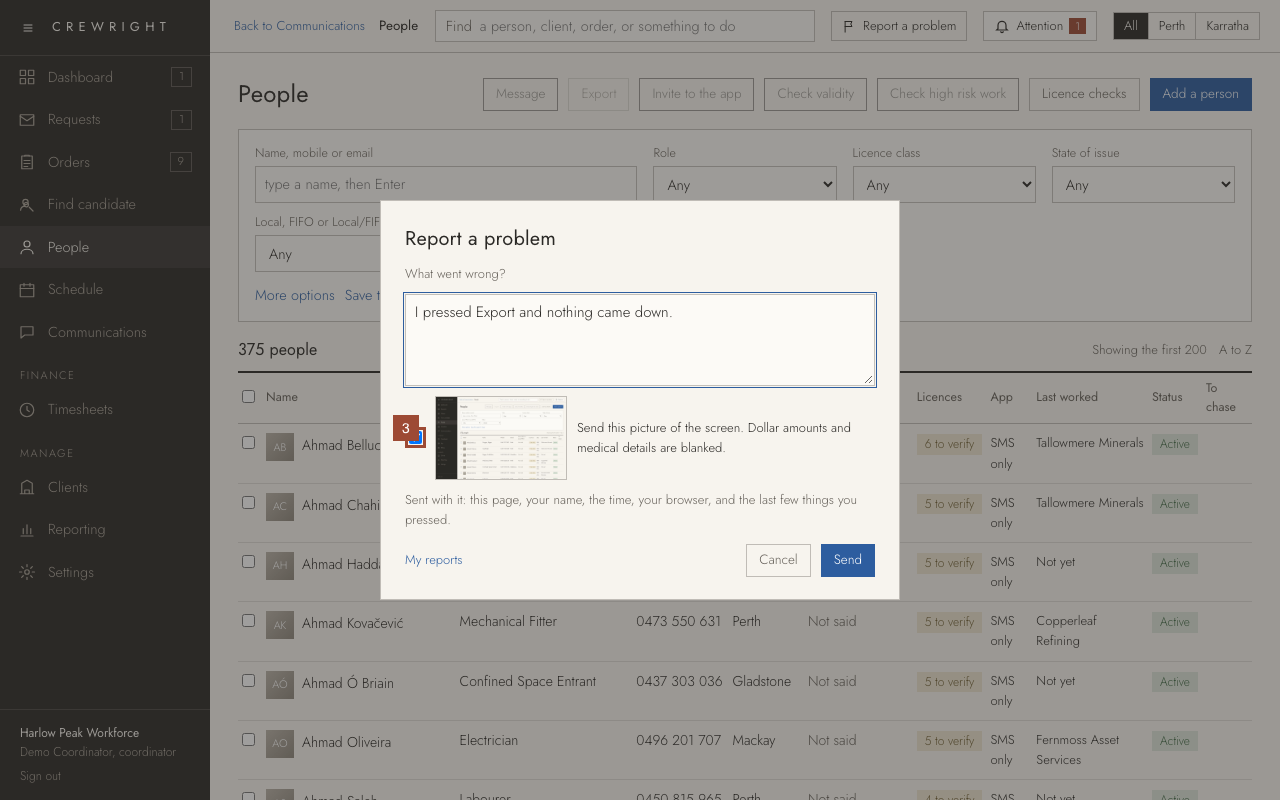
3. A picture of the screen is sent with it. Dollar amounts and medical details are blanked first. Untick it to send no picture.
4. Press Send. The page, your name, the time and the last few things you pressed go with it.
5. You are given a report number. Press My reports to see it.
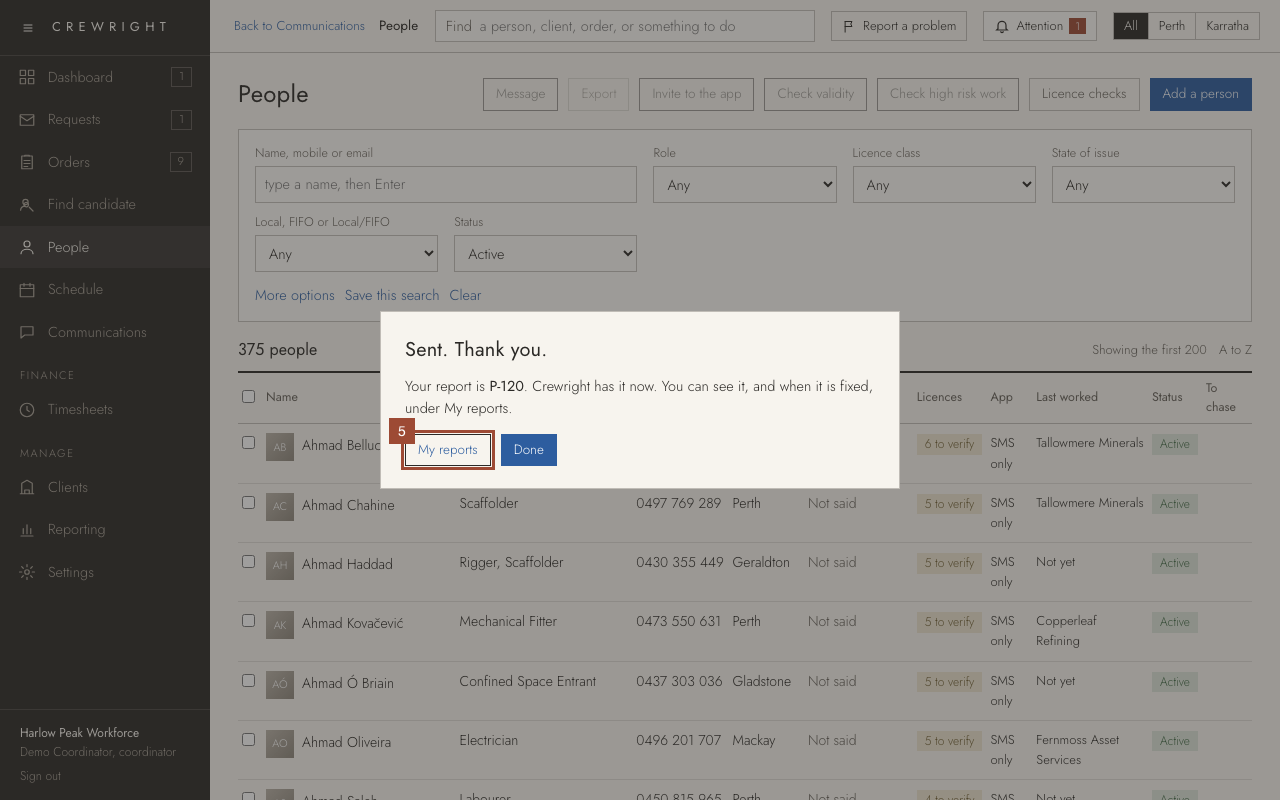
Done Done. My reports lists everything you have sent and where each is up to: Received, Being looked at, or Fixed with what was changed.