Help · Coordinator
Sight a licence and assign
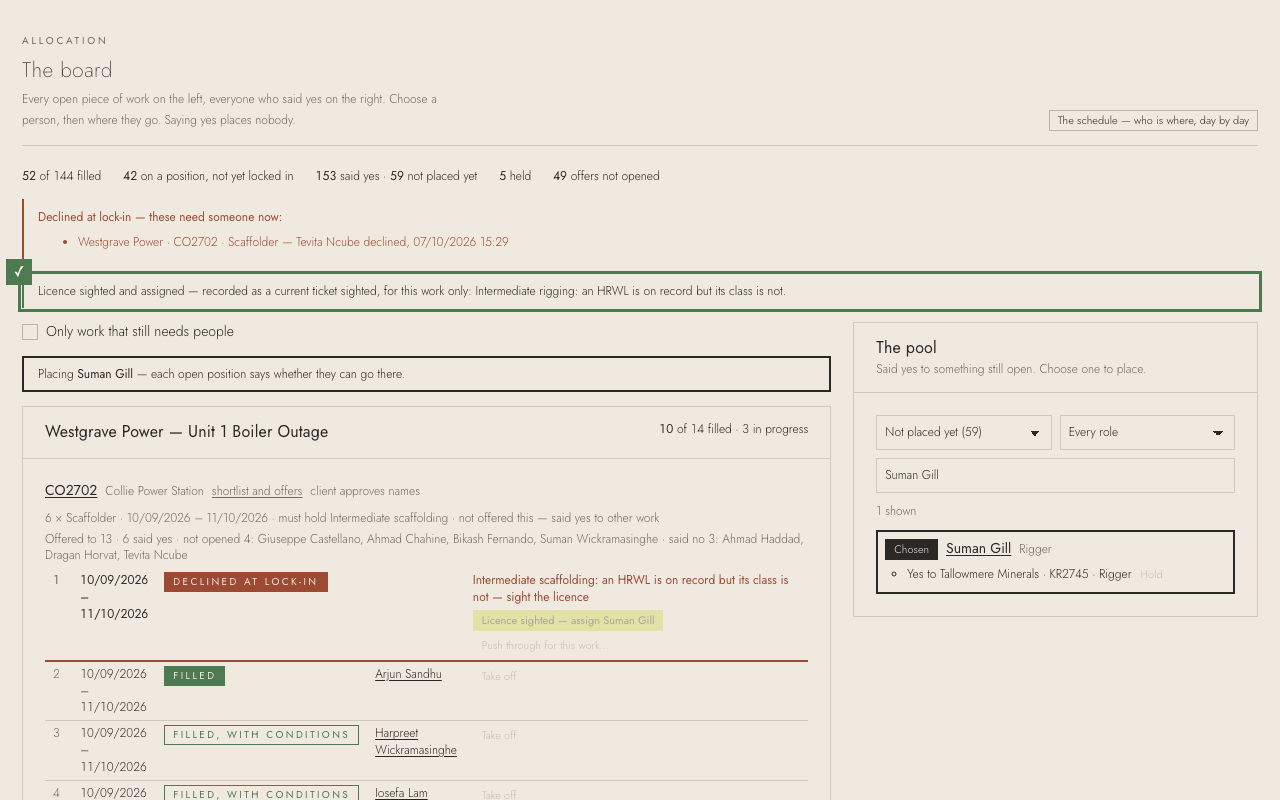
Some workers' high-risk licences are on record without their class. They can still be offered the work; before you place them, look at their card and sight it.
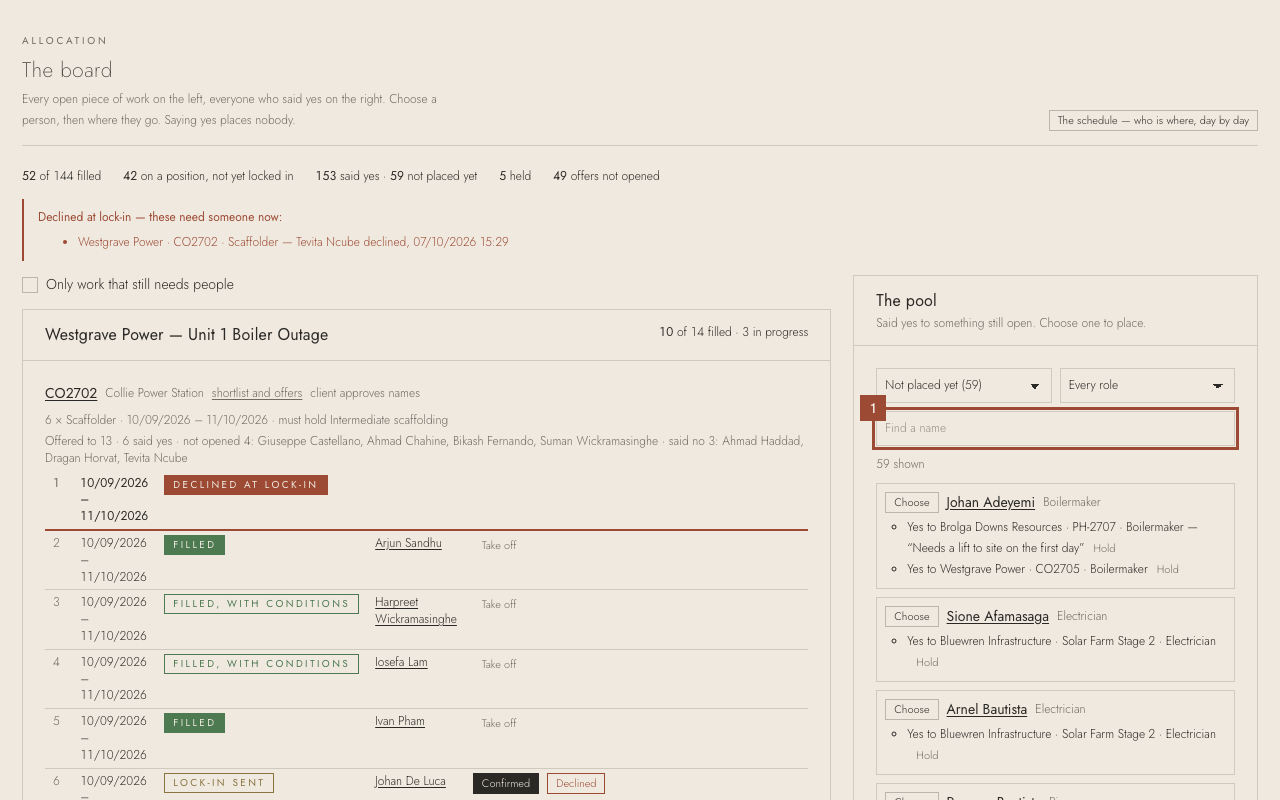
1. In the pool, find them: here, Suman Gill.
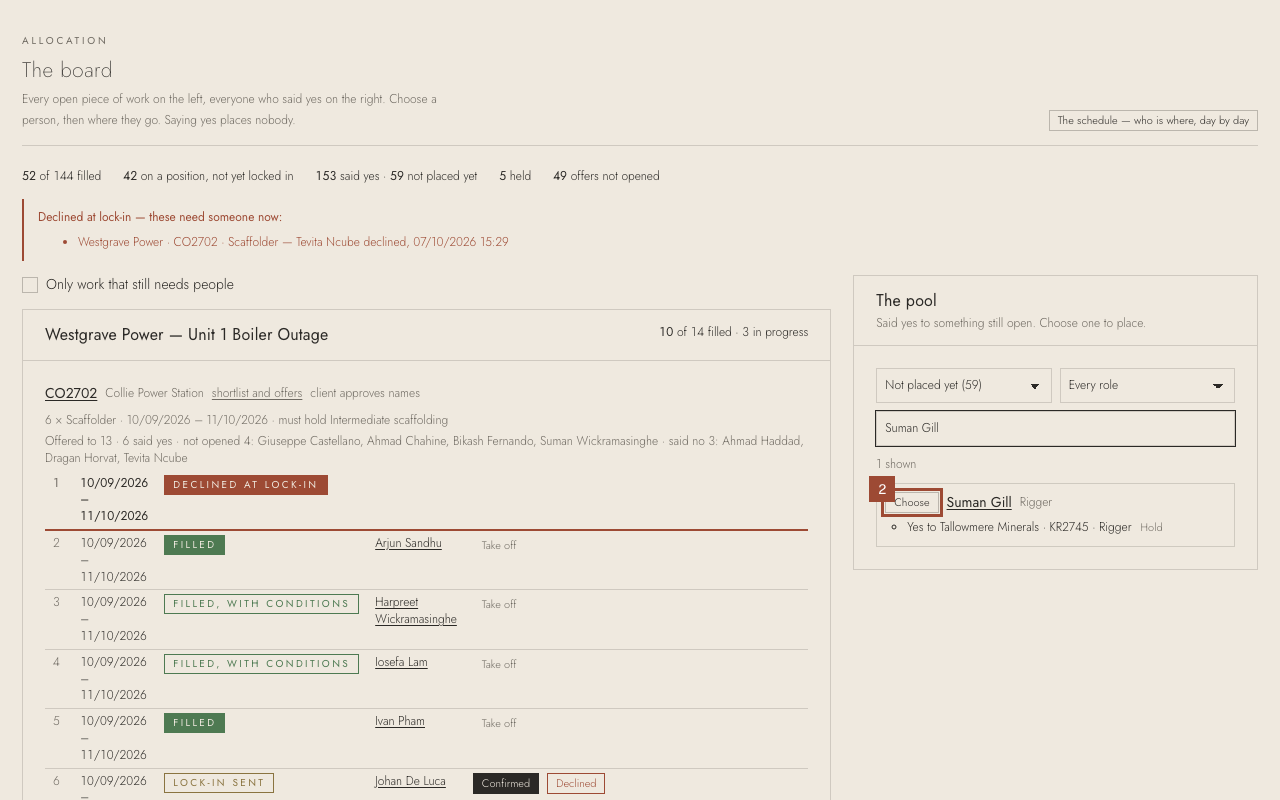
2. Press Choose beside them.
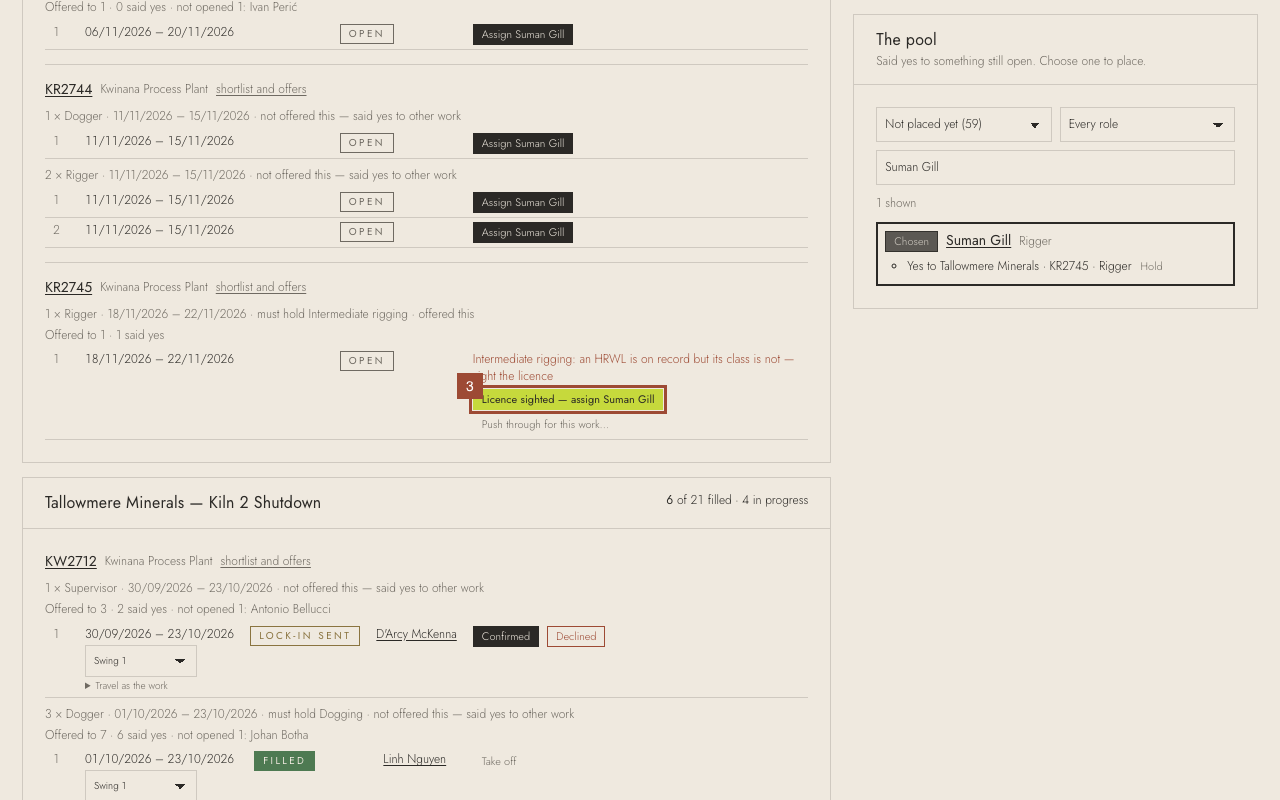
3. Check their licence card shows the class the work needs, then press Licence sighted — assign Suman Gill.
✓ Done. The sighting is recorded with your name, for this work only. Ask them to send a photo of the card from the app so it is on record.