Add your emergency contact

Worker (the phone app)

Tell your company who to ring if something happens to you at work. You can change it at any time.

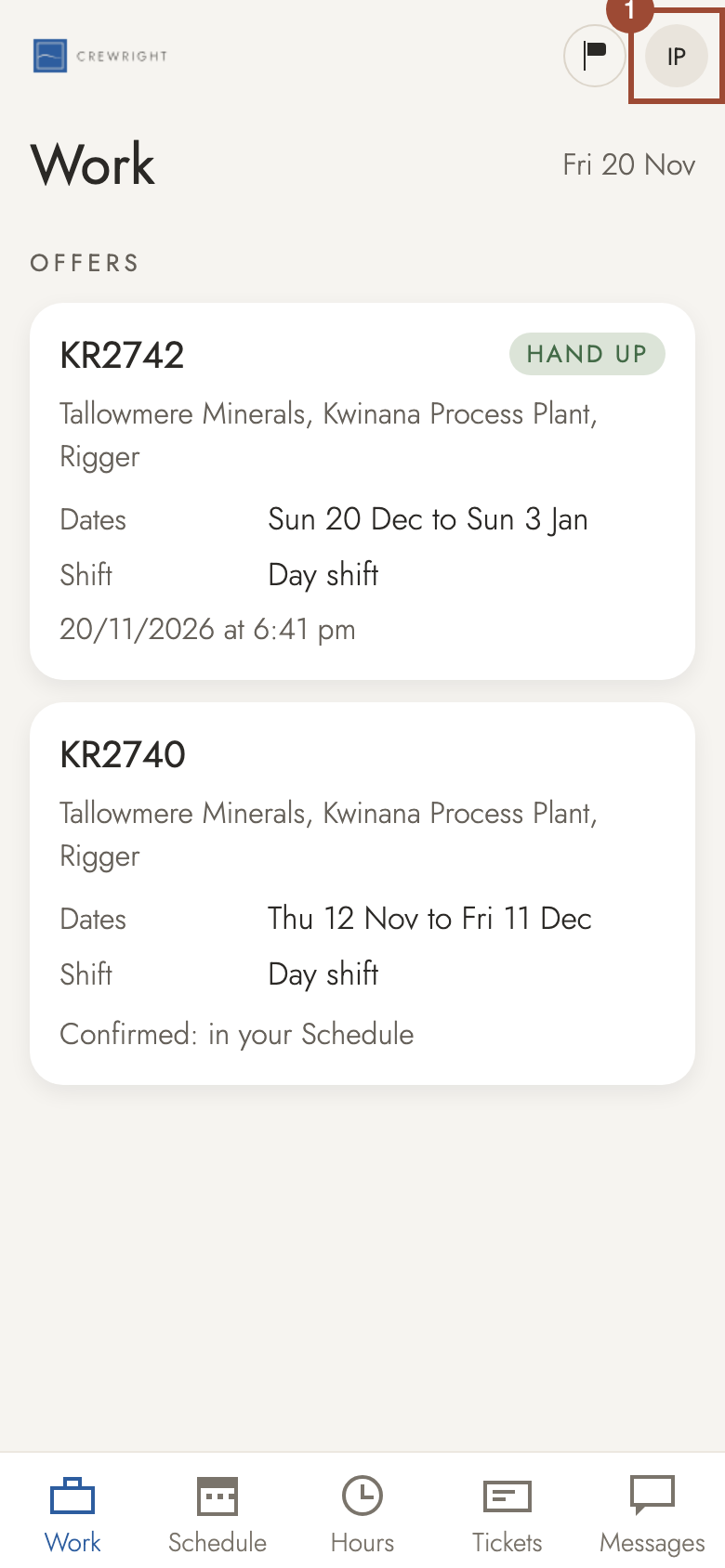
  1. 1. Tap your initials at the top.

    Step 1: Tap your initials at the top.
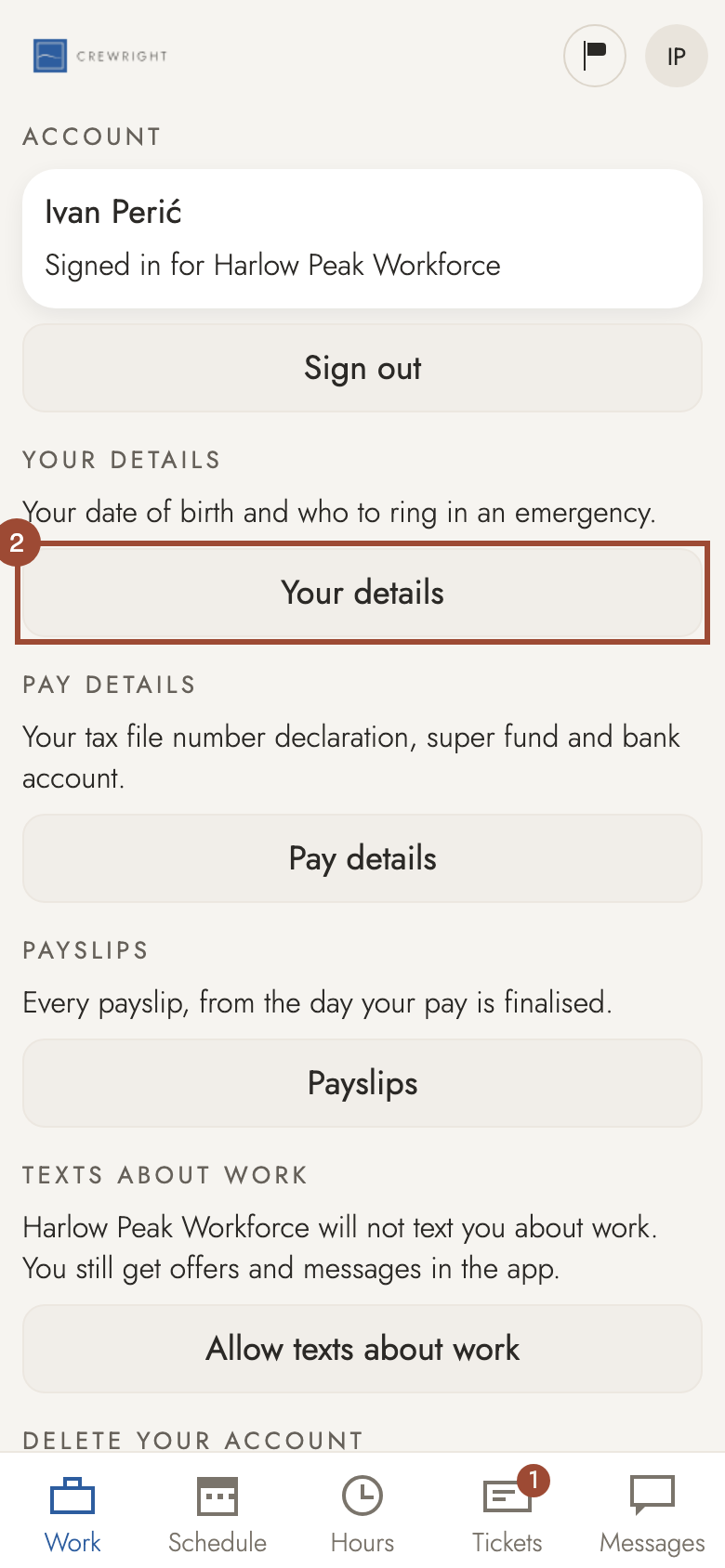
  2. 2. Press Your details.

    Step 2: Press Your details.
  3. 3. Press Fill in. (Once you have given one, the button says Change.)
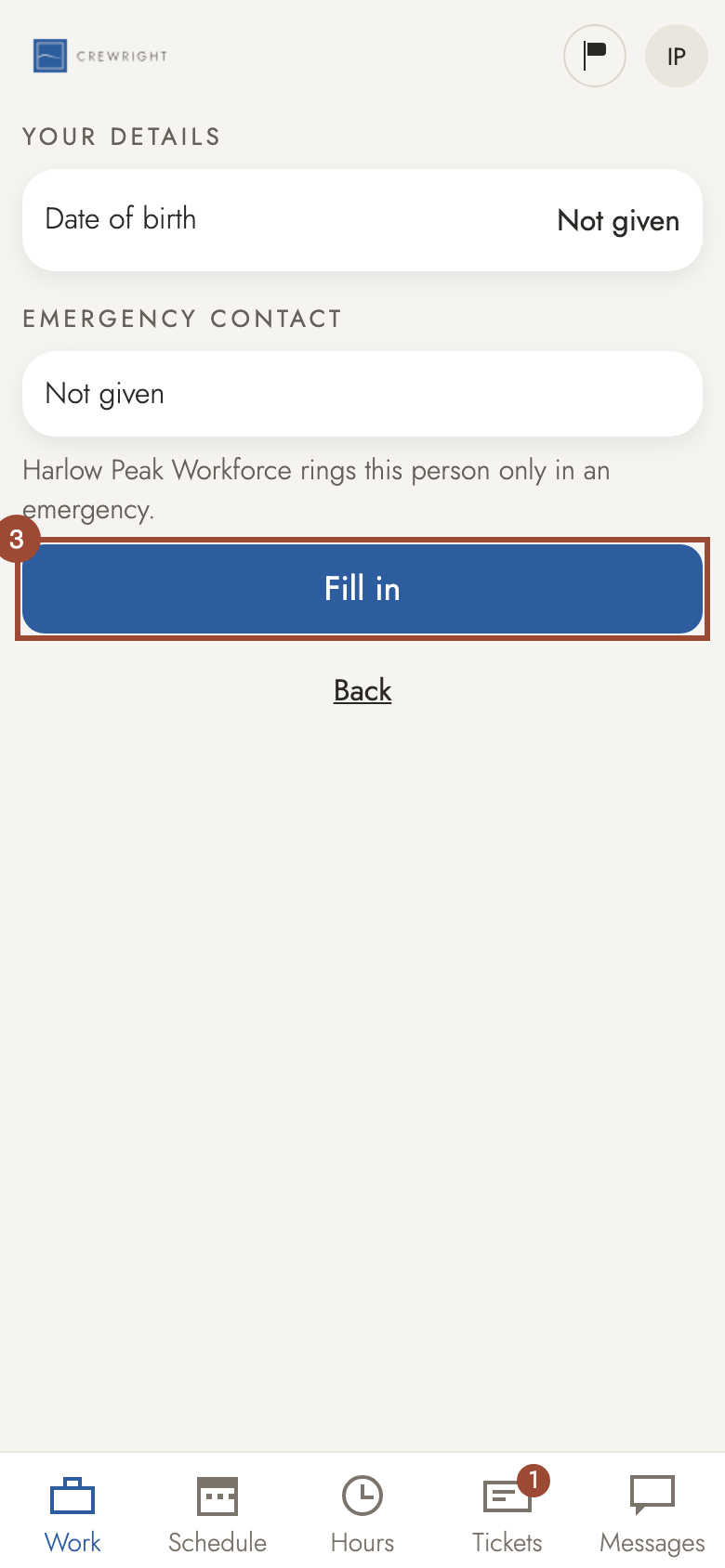
    Step 3: Press Fill in. (Once you have given one, the button says Change.)
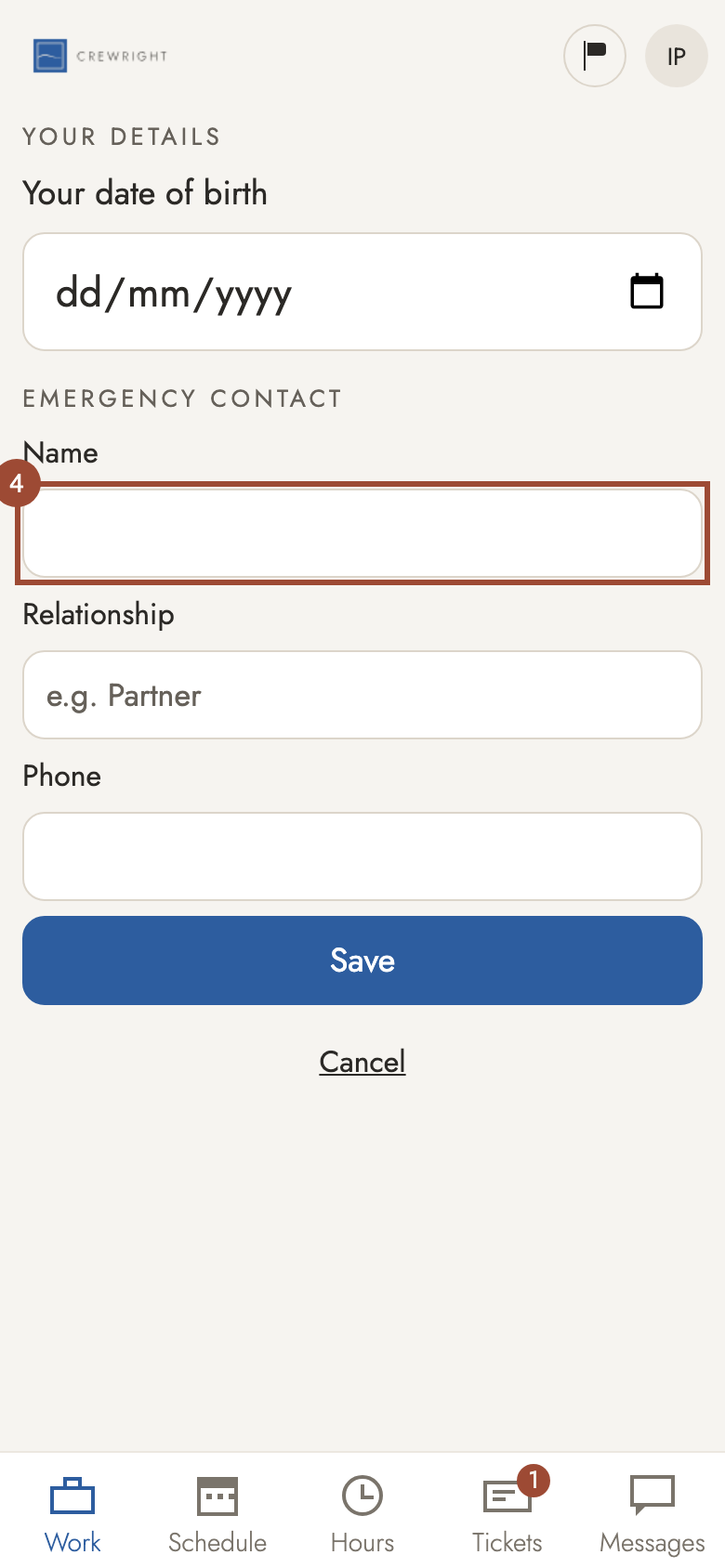
  4. 4. Type their Name…

    Step 4: Type their Name…
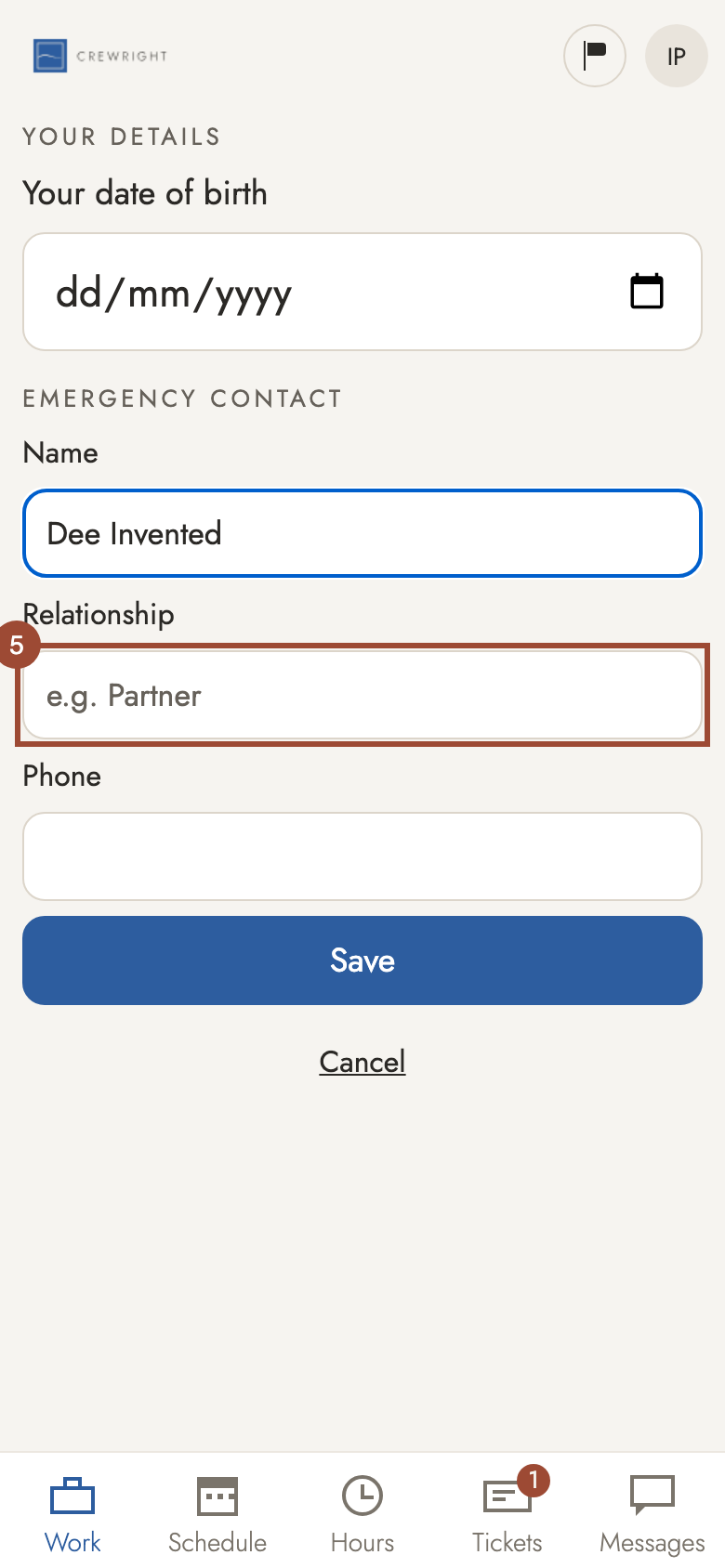
  5. 5. …how they are related to you…

    Step 5: …how they are related to you…
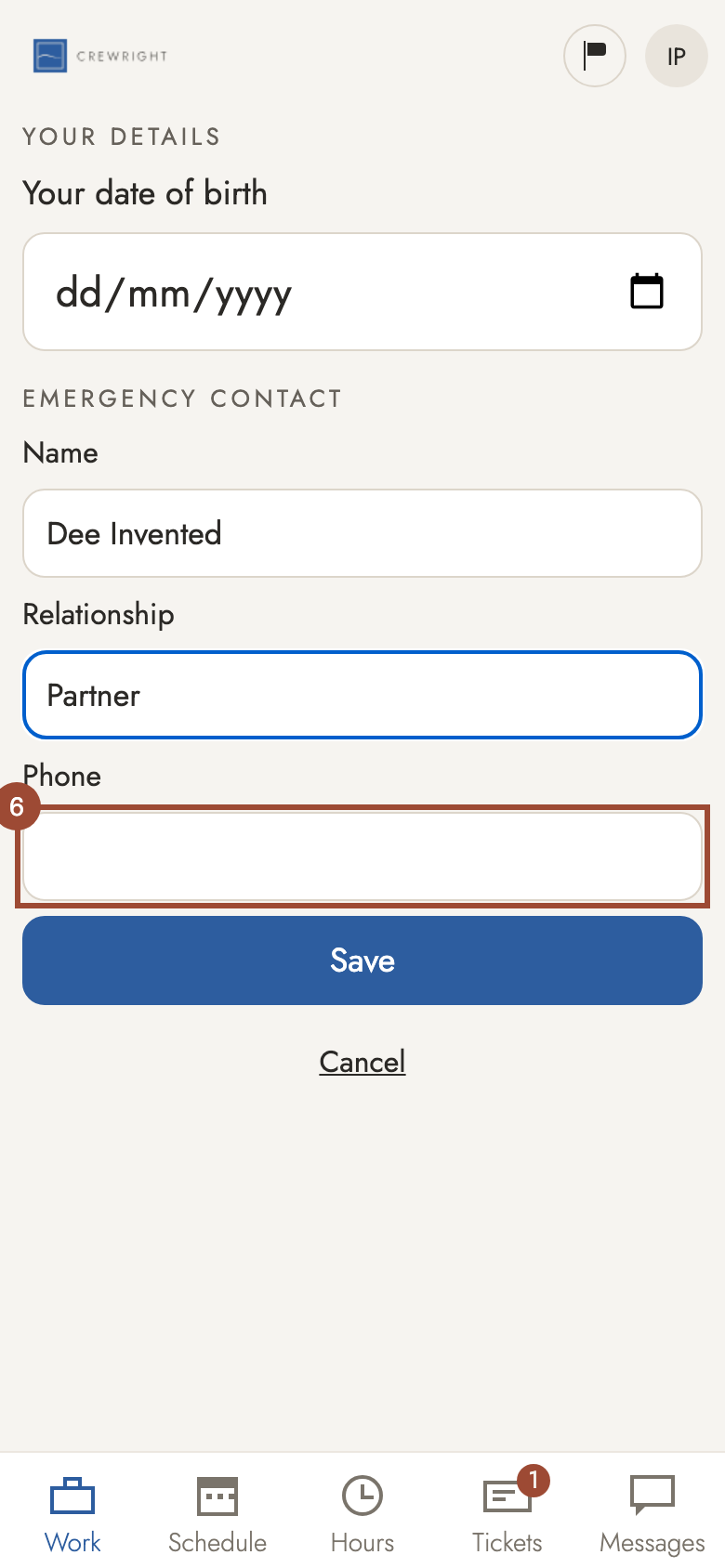
  6. 6. …and their Phone number.

    Step 6: …and their Phone number.
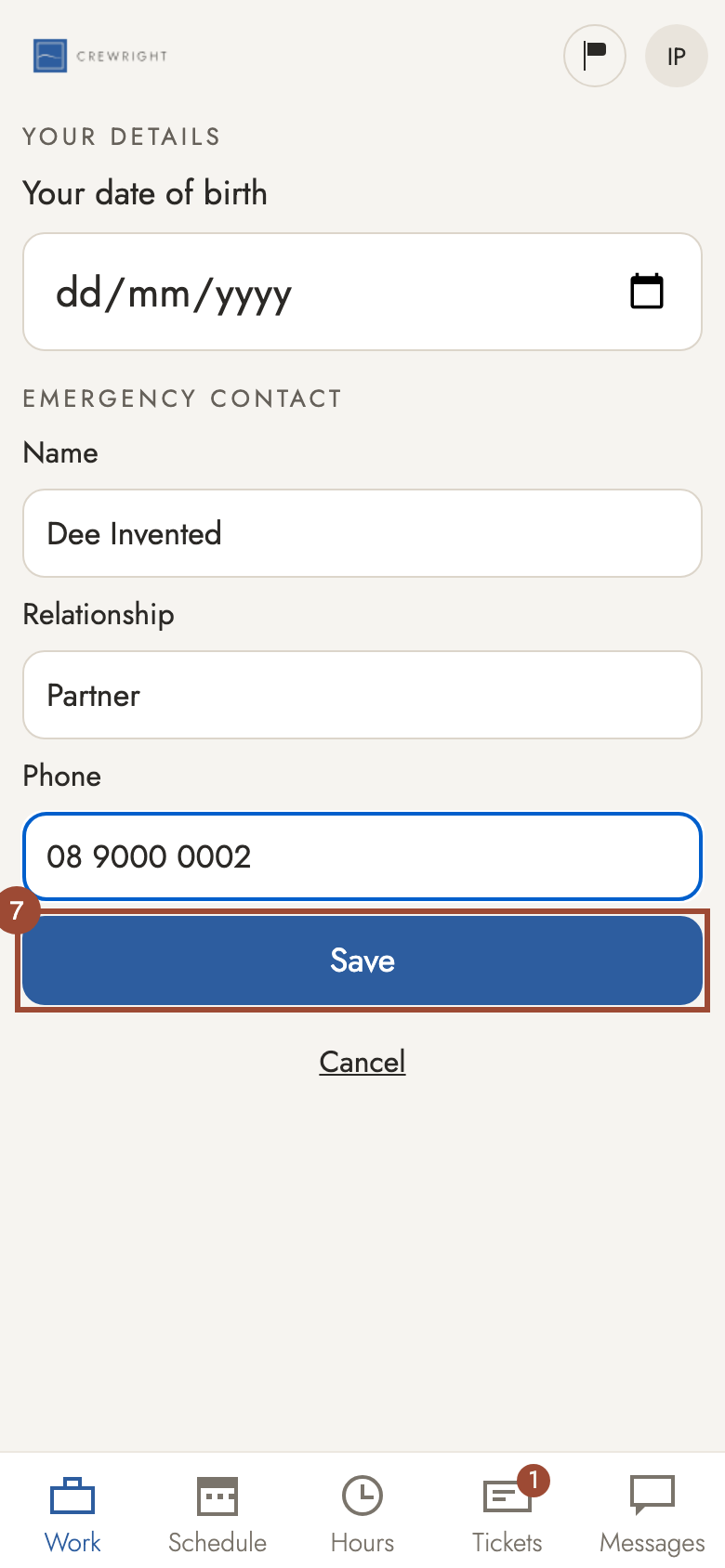
  7. 7. Press Save.

    Step 7: Press Save.
  8. Done Saved. Your company rings this person only in an emergency.
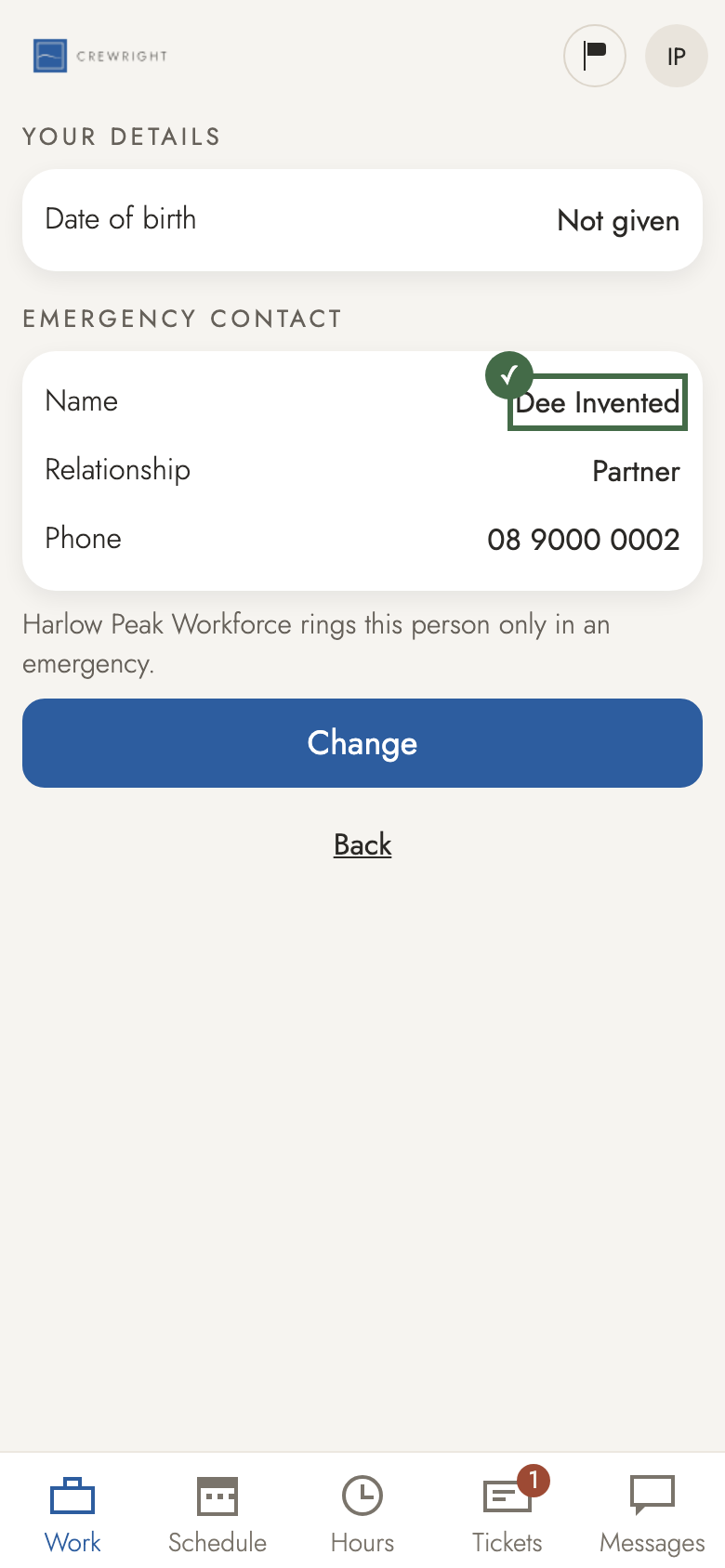
    Step 8: Saved. Your company rings this person only in an emergency.